How to use Whalyze
Create the Wrapped of any WhatsApp chat in less than a minute. Here is how, step by step.
Upload a chat1Export the chat from WhatsApp
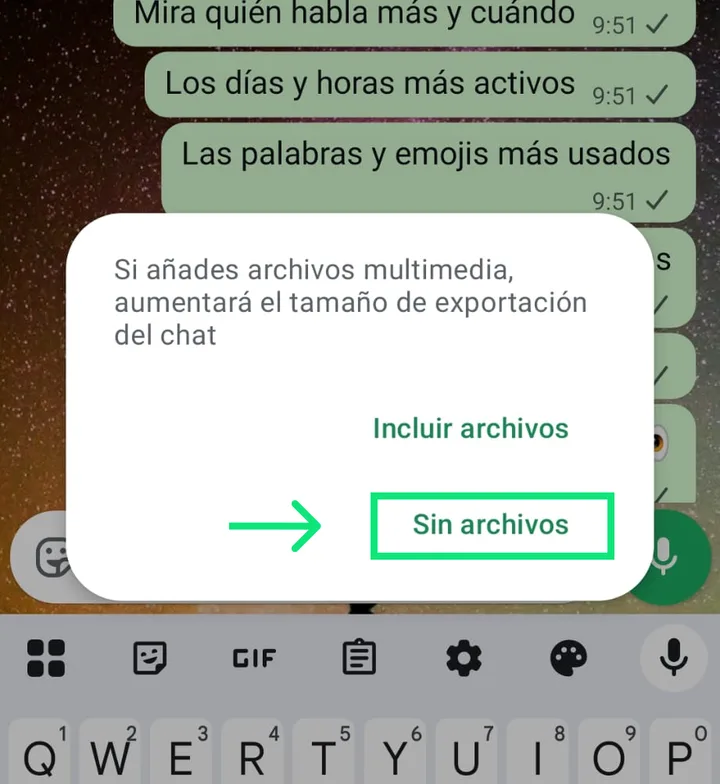
WhatsApp lets you export any chat, one-to-one or group, as a .zip file. Always choose “Without media”: it is faster and Whalyze doesn’t need photos or videos.
Android
-
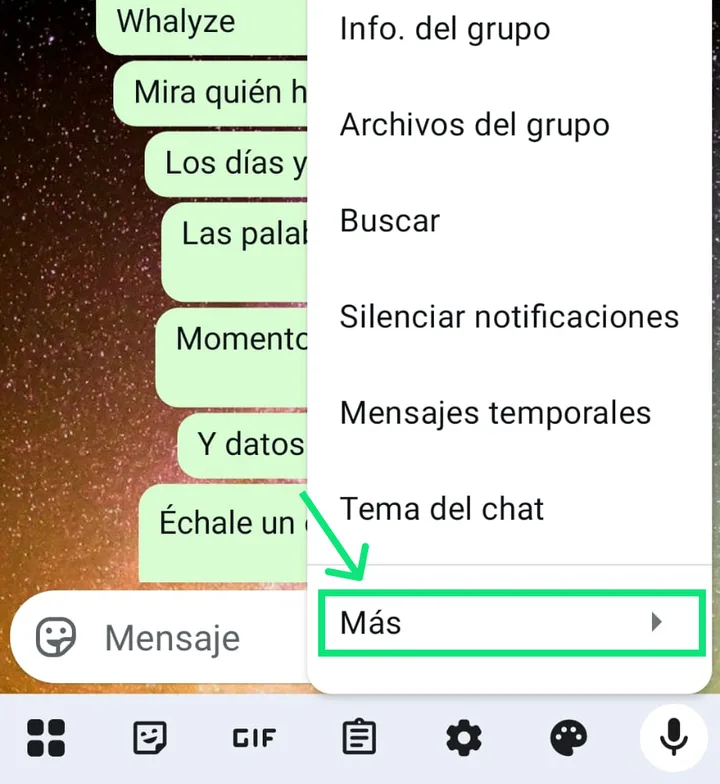
1Open the chat, tap the three dots (⋮) at the top right and tap “More”.
-
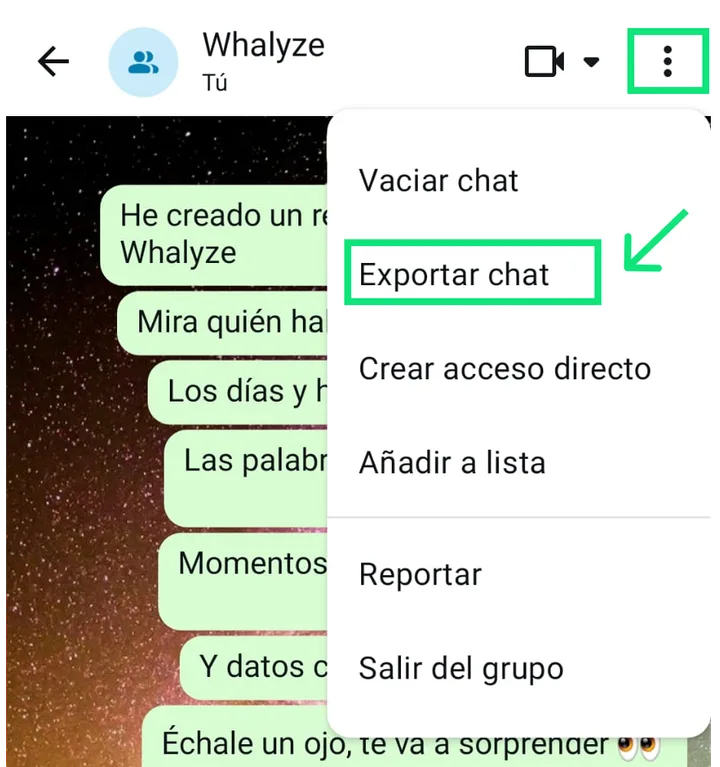
2Tap “Export chat”.
-
3Choose “Without media”.
-
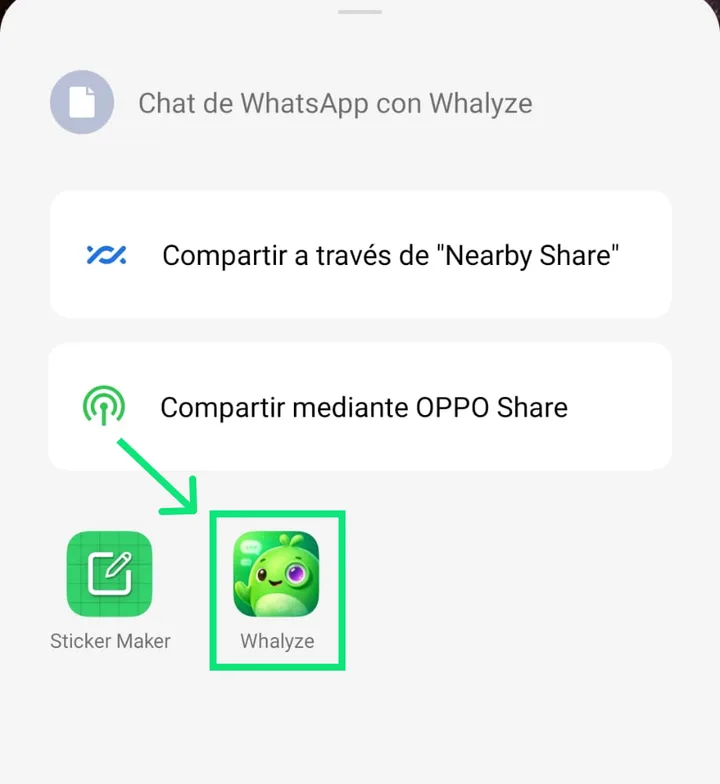
4In the share menu, pick Whalyze if you have installed it, or save the file to upload it later.
iPhone
- 1Open the chat and tap the contact or group name at the top.
- 2Scroll to the bottom and tap “Export chat”.
- 3Choose “Without media”.
- 4Tap “Save to Files”, or pick Whalyze if you have installed it.
Can’t see “Export chat”?
If someone in the chat has turned on “Advanced chat privacy”, WhatsApp won’t let you export it. Turn it off by tapping the chat name → “Advanced chat privacy”. You can’t export from WhatsApp Web or desktop either: do it from your phone.
2Upload the file to Whalyze
Tap “Upload a chat” and pick the .zip you just exported. It is analysed on your device in a few seconds: your messages never leave it.
3Enjoy your Wrapped
Move through the stories by tapping the sides or swiping. Press and hold to pause, or use the pause button at the top.
4Share it or save it
At the end you can share your Wrapped link, which lasts 30 days. Tap the ♥ to save it to your account and watch it any time in “My wrappeds”.
Tips
- The longer the chat, the more fun facts you’ll discover.
- Install Whalyze on your phone to open exported chats straight with the app.
- If a chat can’t be read, we receive an anonymised copy of its format (no names or messages) to fix it.
Steps reviewed on 20/11/2026 with the current WhatsApp version.